
Skip to content

Client project · Fitness academy · Anonymised

Turn attendance records into proactive member engagement.

We built this for a fitness academy running online classes, so that a member missing sessions gets a timely nudge — and staff can see exactly what was sent.

The problem

Attendance sat in Google Meet. Nobody had time to work out, week by week and course by course, who had stopped turning up — so follow-up happened late, if at all.

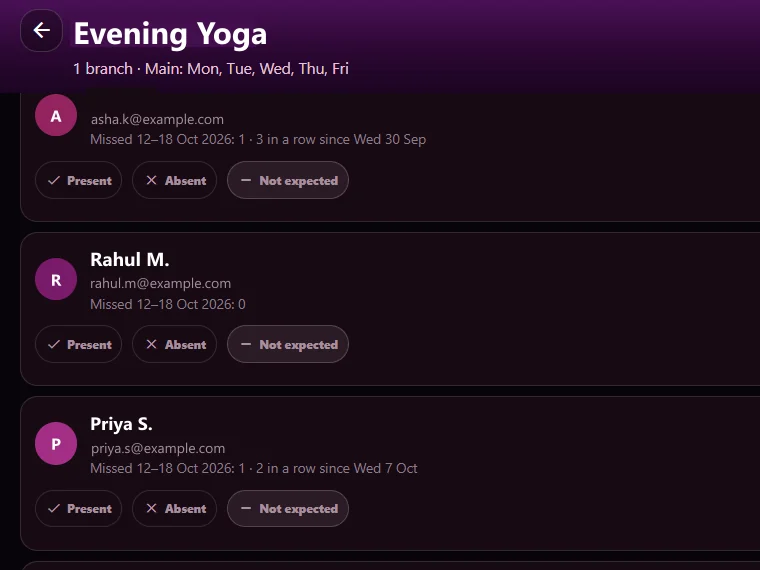
A course's attendance list showing each member's missed sessions and present, absent or not-expected marks

Screenshots are real screens from the system, with every name, figure, logo and QR code replaced by fictional data.

What We Built

  • Members registered with their email and the courses they attend
  • Google Meet attendance uploaded per session and matched to members
  • A missed-session rule — the academy sets the number of sessions and the period
  • A recipient list built by the rule, which staff review before sending
  • Course-wise reminder emails
  • A per-member result of sent, failed or excluded
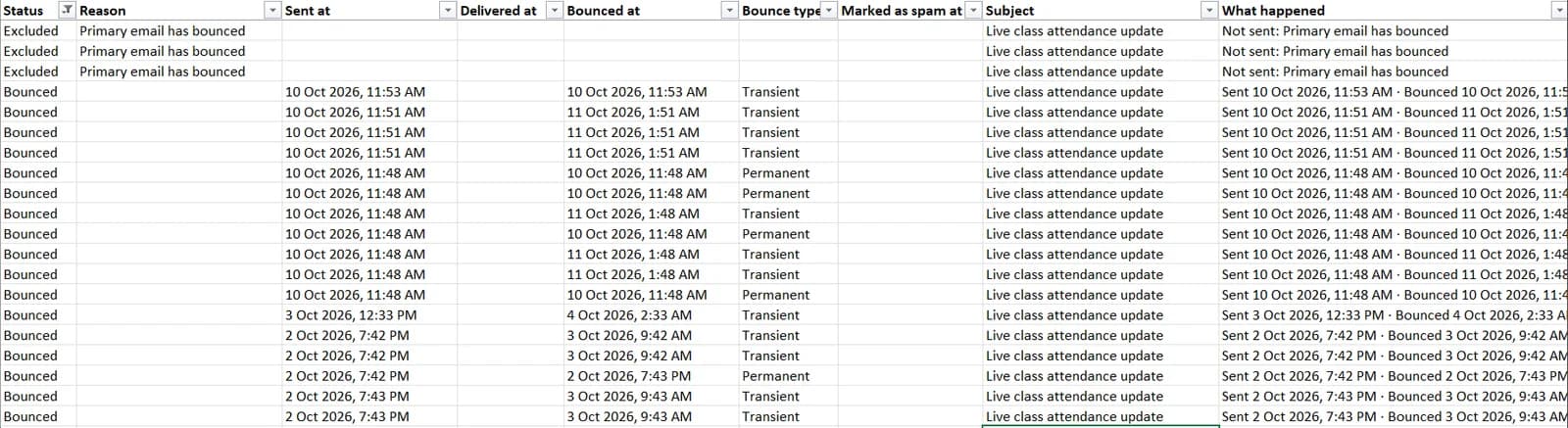
  • A downloadable report per email: send time, bounce time and whether a bounce was transient or permanent

How It Works, Step by Step

  1. Step 1: Register members, then upload each session

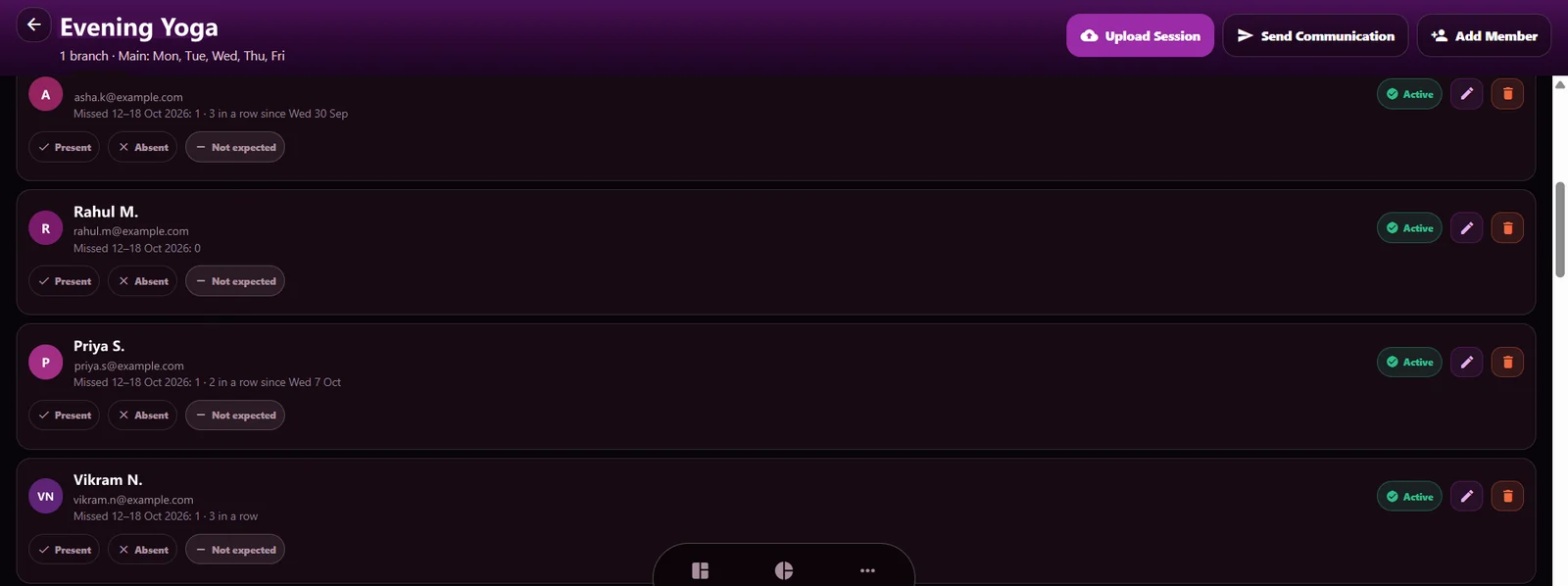
    Each course lists its members. After a Google Meet session, the attendance file is uploaded and every member is marked present, absent or not expected.

    A course page with upload-session, send-communication and add-member actions above the member attendance list
  2. Step 2: Apply the missed-session rule

    The academy sets how many missed sessions count and over what period. The list shows each member's misses for the week and how many in a row.

  3. Step 3: Review who it reaches, then send

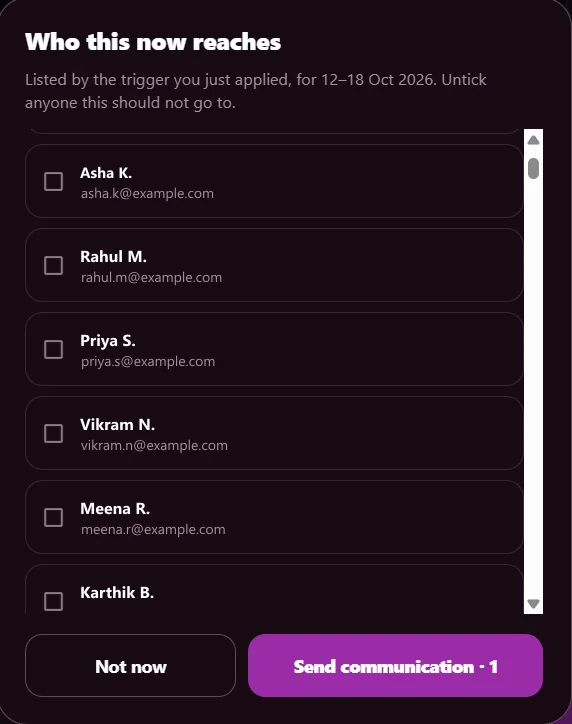
    The rule builds the recipient list. Staff untick anyone it should not go to before the course-wise emails go out.

    The 'who this now reaches' list of members with checkboxes and a send button
  4. Step 4: See what happened to every email

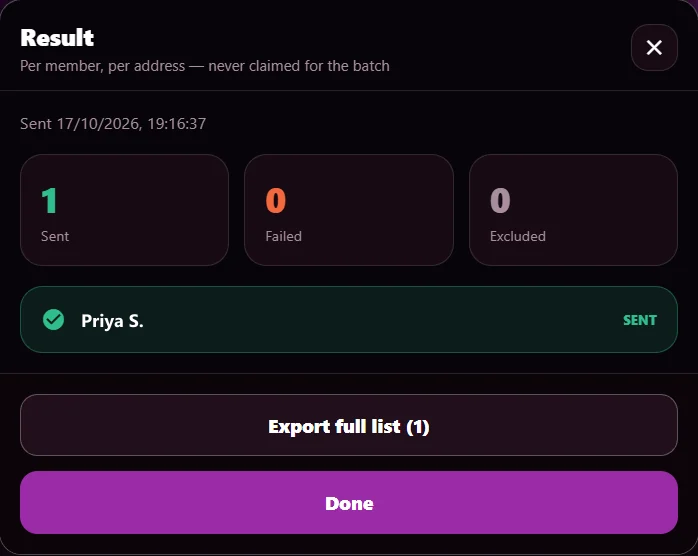
    Sent, failed or excluded — recorded per member and per address, never claimed for the whole batch.

    The send result: counts for sent, failed and excluded, and one member marked sent
  5. Step 5: Download the detail

    The report lists each email's send time, bounce time and bounce type, and why anyone was excluded — for example, an address that had already bounced.

    A spreadsheet export with status, reason, sent time, bounce time and transient or permanent bounce type for each email

Built so the numbers can be trusted

  • A person reviews the recipient list before anything is sent.
  • Excluded members are never emailed — for example, when their address has already bounced.
  • Results are recorded per member and per address, not assumed for the batch.
  • A sent email is never reported as delivered or read.

Have a Similar Problem? Let's Talk It Through.

Your workflow will not be identical, and it does not need to be. Tell us what is slow, manual or missing, and we will tell you honestly whether something like this would help.

More use cases

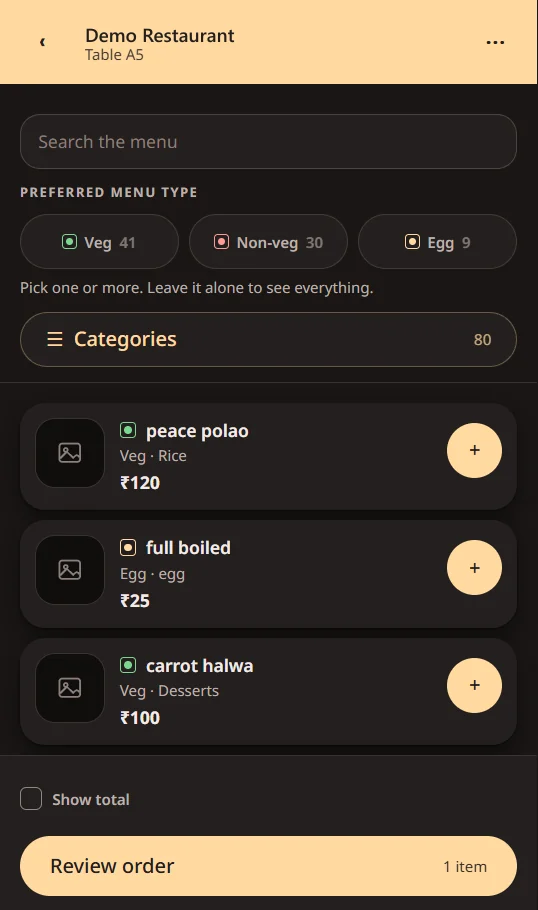
  • A restaurant's QR menu on a phone, with veg, non-veg and egg filters and dishes that can be added to the order

    Client project · Restaurant · Anonymised

    Make every table visit an opportunity to serve better.

    The problem: Guests need an easier way to browse, order and ask for service — without adding work for the floor team.

    What we built: A table-QR menu for ordering and service requests, with the floor team and the owner seeing the same requests the moment a guest taps.

    See how it works: Make every table visit an opportunity to serve better.
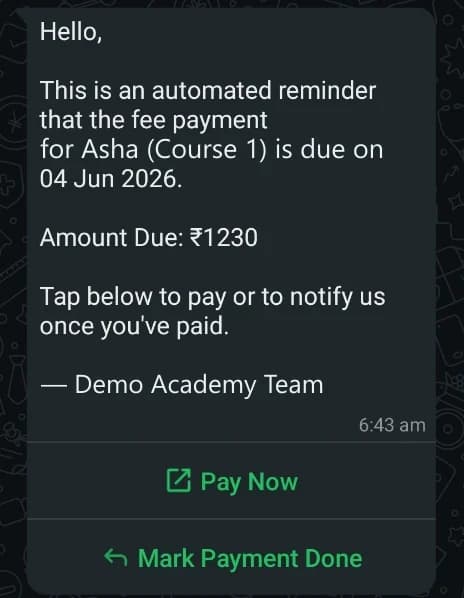
  • An automated WhatsApp fee reminder with the amount, the due date and Pay Now and Mark Payment Done buttons

    Our own product · UniqBrio

    Spend less time chasing fees.

    The problem: Manual follow-ups make it hard to keep track of due dates, payment status and new enquiries across courses.

    What we built: Course-wise payment tracking, WhatsApp reminders with a pay link, and a simple online path from enquiry to enrolment.

    See how it works: Spend less time chasing fees.