
Skip to content

Our own product · UniqBrio

Spend less time chasing fees.

This one is our own product. UniqBrio is the academy-management platform we built and run ourselves — shown here as evidence of what we build, not as a client reference.

The problem

Fees come due on different plans for different courses. Following up by hand means a list, a phone and a lot of reminders — and new enquiries wait their turn behind the overdue ones.

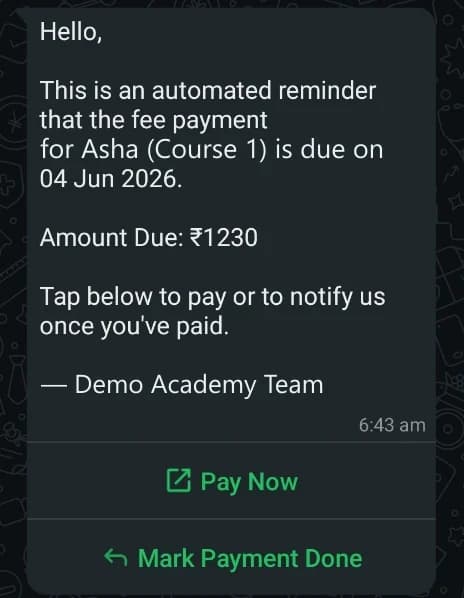
An automated WhatsApp fee reminder with the amount, the due date and Pay Now and Mark Payment Done buttons

Screenshots are real screens from the system, with every name, figure, logo and QR code replaced by fictional data.

What We Built

  • Payment tracking by course, for monthly, EMI, term-based and session-based plans
  • Paid, due and overdue filters, and a flag for members who are likely to drop out
  • Automated WhatsApp reminders with the amount, the due date and a pay link
  • A public course page and enquiry form, in English or Tamil
  • An enquiry pipeline from new enquiry to student, with a daily follow-up summary

How It Works, Step by Step

  1. Step 1: Track every payment plan by course

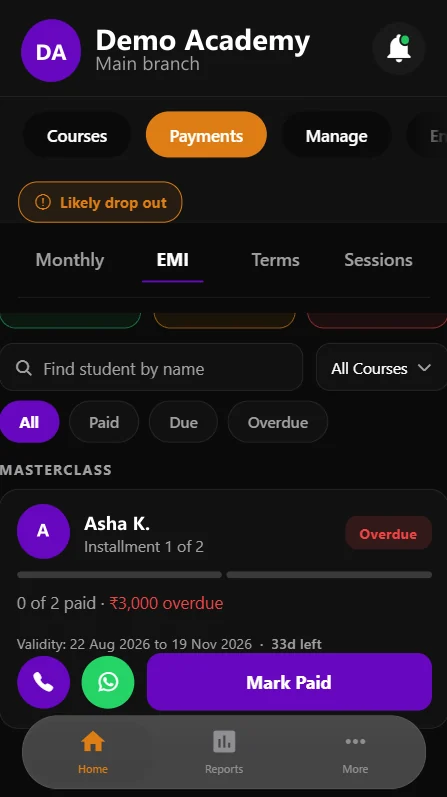
    Monthly, EMI, term-based and session-based plans, each filterable by paid, due and overdue.

    The payments screen on a phone with monthly, EMI, terms and sessions tabs and an overdue instalment
  2. Step 2: Remind before the due date, with a pay link

    An automated WhatsApp reminder states the amount and the due date, with buttons to pay now or to say the payment is done.

    A WhatsApp fee reminder with Pay Now and Mark Payment Done buttons
  3. Step 3: Give new enquiries a simple way in

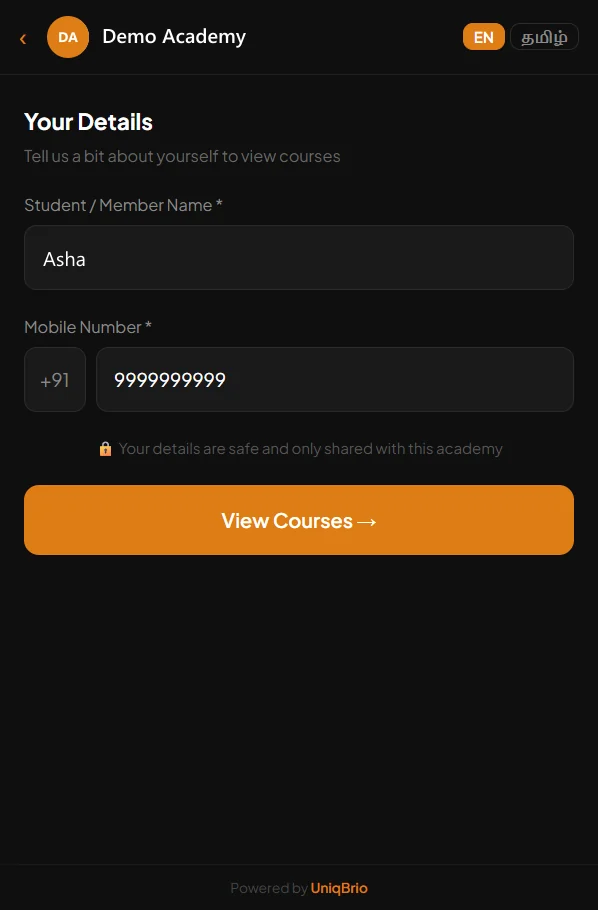
    A public page asks for a name and a mobile number, in English or Tamil, before showing the academy's courses.

    The academy's public enquiry page asking for a name and mobile number
  4. Step 4: Show the course, then let them choose

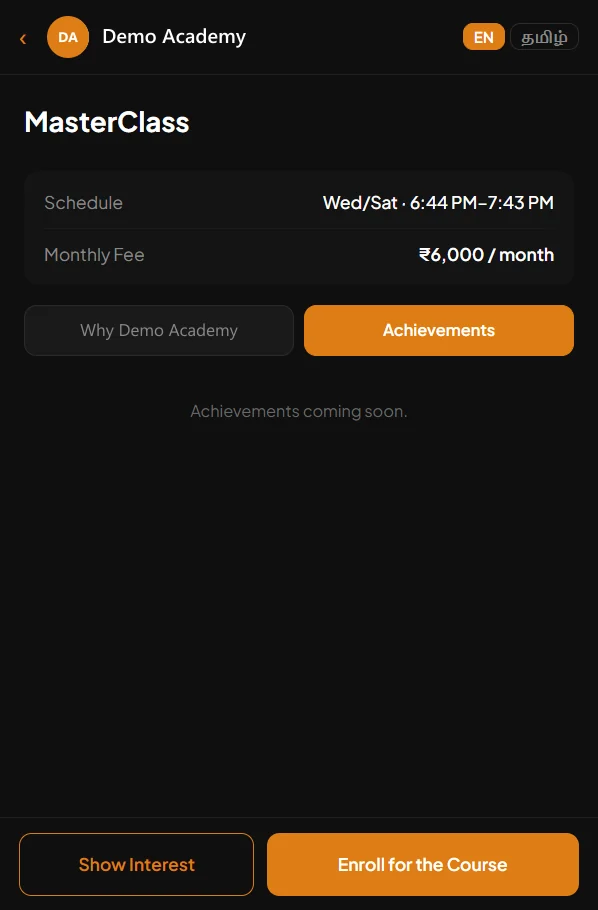
    The schedule and fee are on the page, with two clear choices: show interest, or enrol for the course.

    A course page with schedule and monthly fee, and Show Interest and Enroll buttons
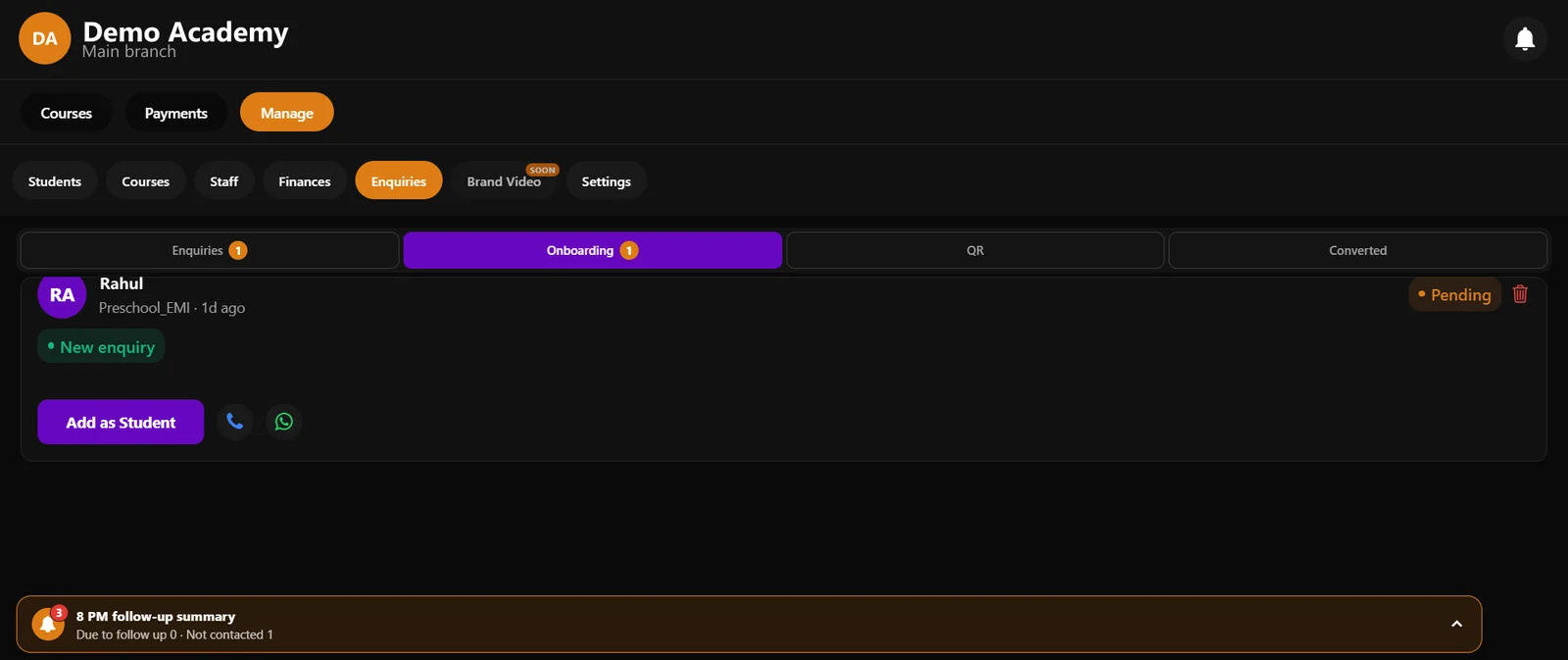
  5. Step 5: Turn enquiries into students

    Each enquiry moves from new to onboarding to converted, with call, WhatsApp and add-as-student actions — and a daily summary of who still needs a follow-up.

    The enquiries screen with an onboarding enquiry, an Add as Student button and a follow-up summary

What the academy stays in control of

  • A reminder states the amount and the due date, so nobody has to guess what is owed.
  • A parent or member can mark a payment as done from the reminder itself.
  • Every enquiry stays visible until it is converted or closed — nothing is left in a chat thread.

Have a Similar Problem? Let's Talk It Through.

Your workflow will not be identical, and it does not need to be. Tell us what is slow, manual or missing, and we will tell you honestly whether something like this would help.

More use cases

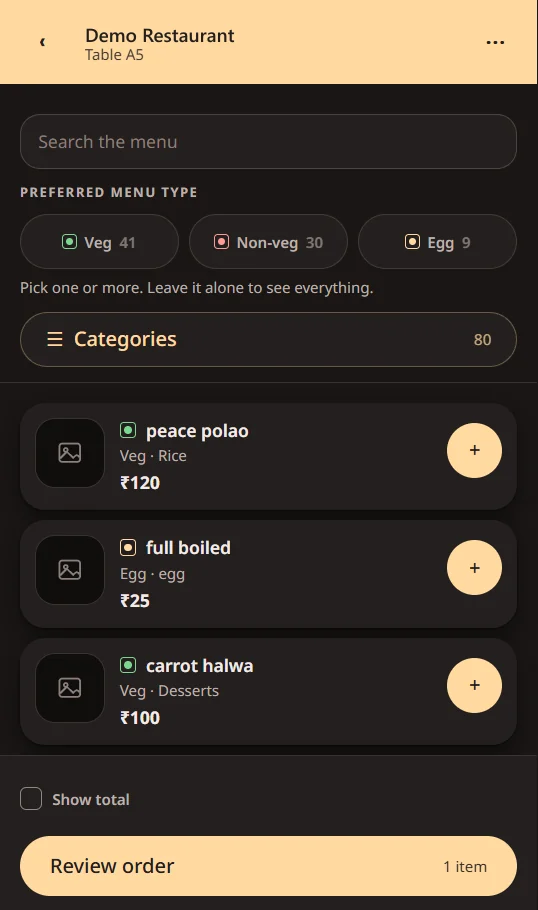
  • A restaurant's QR menu on a phone, with veg, non-veg and egg filters and dishes that can be added to the order

    Client project · Restaurant · Anonymised

    Make every table visit an opportunity to serve better.

    The problem: Guests need an easier way to browse, order and ask for service — without adding work for the floor team.

    What we built: A table-QR menu for ordering and service requests, with the floor team and the owner seeing the same requests the moment a guest taps.

    See how it works: Make every table visit an opportunity to serve better.
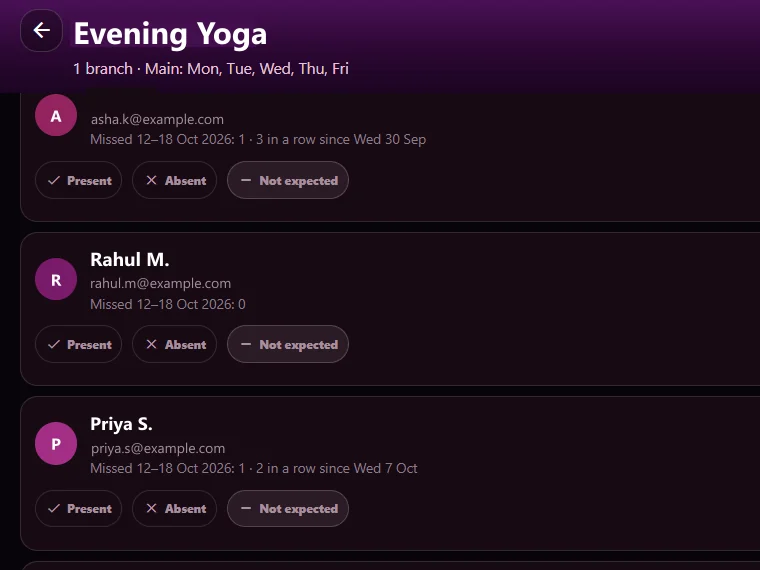
  • A course's attendance list showing each member's missed sessions and present, absent or not-expected marks

    Client project · Fitness academy · Anonymised

    Turn attendance records into proactive member engagement.

    The problem: Academies and fitness studios often notice repeated absences only after a member has already drifted away.

    What we built: Online-class attendance is imported, members who miss a set number of sessions are flagged, and course-wise reminder emails go out — with a record of every email sent, bounced or excluded.

    See how it works: Turn attendance records into proactive member engagement.